 Dima Persiianov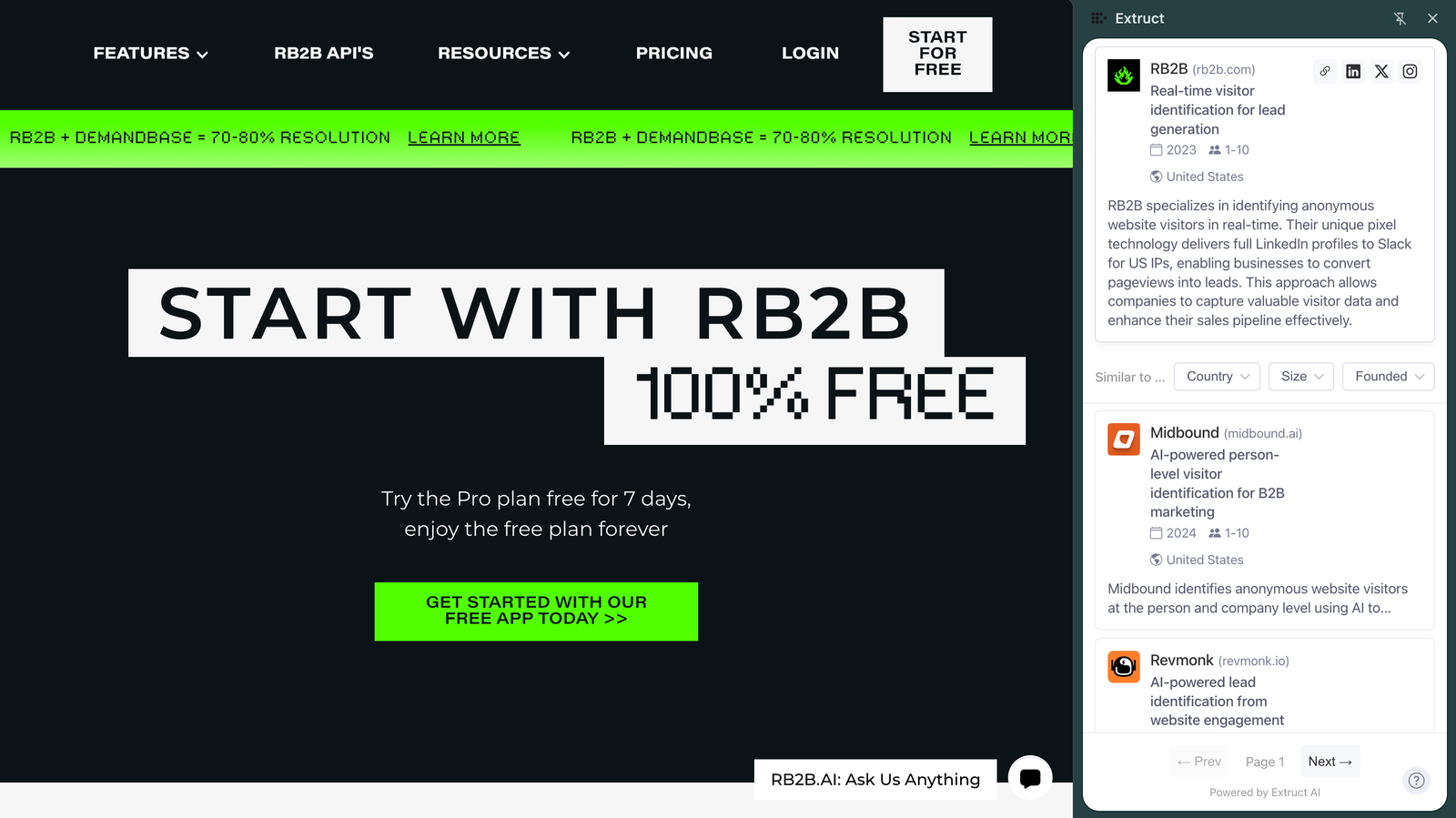
At Extruct, we just released a free lookalike browser extension.
👉 Install the extension from Chrome Web Store
The concept is simple. You land on a prospect's website—a startup or a vendor you're analyzing—and you want to see who is building something similar. You open the extension, and you get a list.
But the infrastructure behind it is messy.
Most "similar company" tools rely on static descriptions. You check a CRM or a directory, and it matches keywords. "Software company" matches "software company." It's fuzzy.
We took a different approach. We analyze the semantic space associated with the company: the website content, social signals, news mentions, and how they describe themselves in real-time. It's not just "what category are you in," but "how do you talk about what you do?"
How to install
- Go to the Chrome Web Store
- Click "Add to Chrome"
- Create a free account at extruct.ai
- Start browsing any company website and click the Extruct icon
What it actually does
You are browsing a website. You click the extension. You get:
- Instant lookalike companies based on semantic matching
- Firmographic filters (country, headcount, company age)
- Real-time research (even if we don't have the company in our index, we index it on the fly)
For each company, you get:
- Company overview and description
- Founding year and employee count
- Headquarters location
- Links to LinkedIn and social profiles
You can also export your results to CSV or save directly to your Extruct tables for further enrichment.
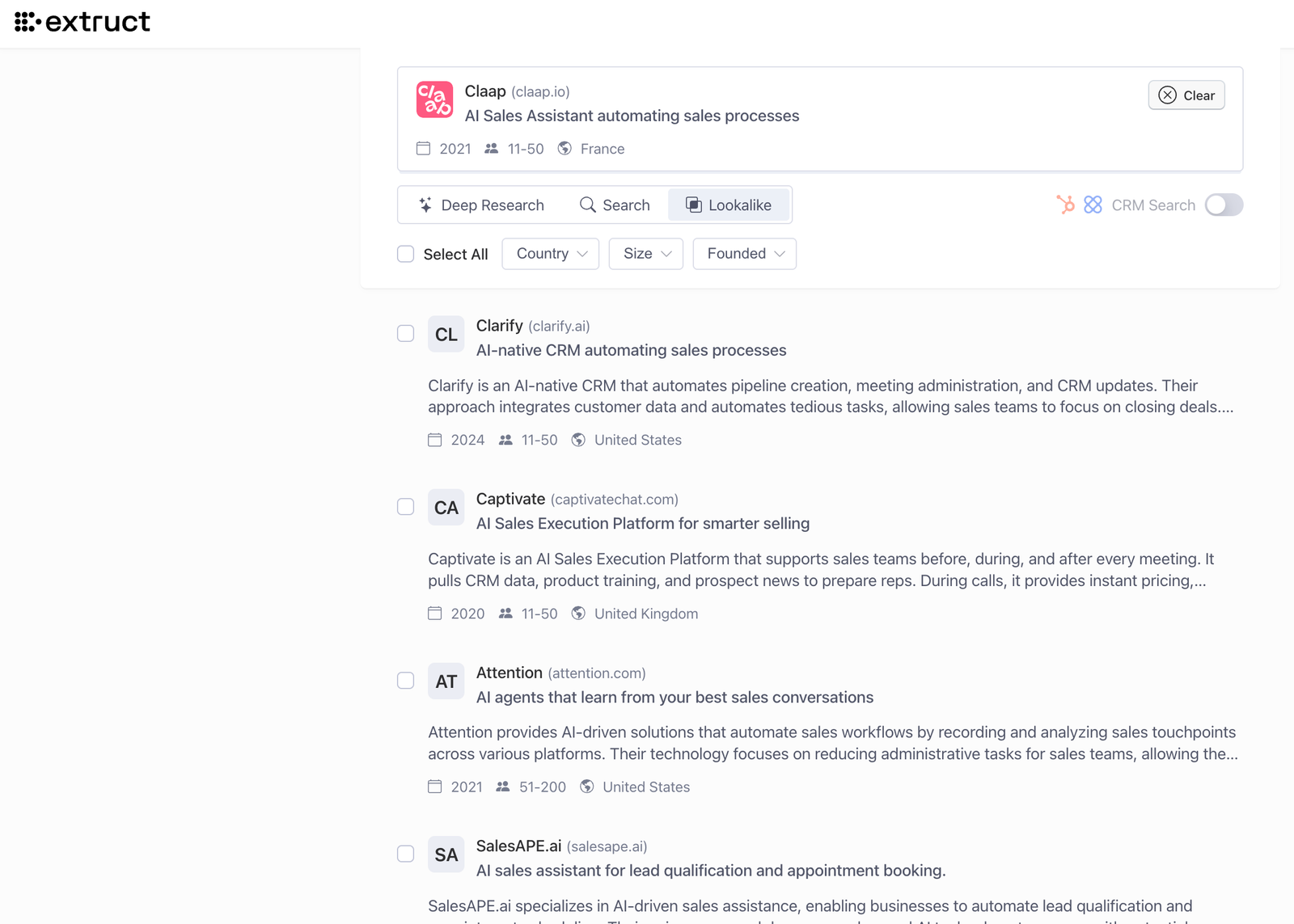
Lookalikes inside the product
The extension is just one way to discover similar companies. You can also search for lookalikes directly inside the Extruct product—perfect for when you want to explore without leaving your workflow.
The Builder's Context
We are working heavily on what we call "contextual lookalike."
Right now, you get a general similarity score. But the next step—what we are building in the background—is specificity.
- "Show me only startups (not incumbents) that do X."
- "Show me companies that have this exact functionality."
- "Show me competitors operating only in this specific market."
This moves from general discovery to deep research.
