 Danny Chepenko
Finding companies similar to your best customers is one of the most powerful strategies for scaling your sales pipeline. Whether you're in sales, investment research, or partnership development, identifying lookalikes can dramatically improve your targeting precision.
Extruct's Lookalike API makes this process simple by analyzing the semantic space around a company -- website content, social signals, news mentions, and how they describe themselves -- to surface truly similar businesses, not just those in the same category.
This guide walks you through setting up and using the Lookalike API to build your ideal prospect list.
Prerequisites: Setting Up Your Extruct Account
Step 1: Create Your Base Subscription
Before accessing the API, you'll need an active Extruct account.
- Visit extruct.ai and pick the plan that fits your workflow (Free, Starter, or Pro). For current limits and pricing, see the pricing page.
- Enter your work email and verify it via the link sent to your inbox
- Complete the quick onboarding with your name, company, and use case
Pro tip: Start by testing with your actual target accounts so you can quickly evaluate result quality and decide when to scale up to a higher plan.
Once your account is active, you'll be redirected to the dashboard where you can access the API settings.
Step 2: Generate Your API Key
Your API key is your authentication token for making requests:
-
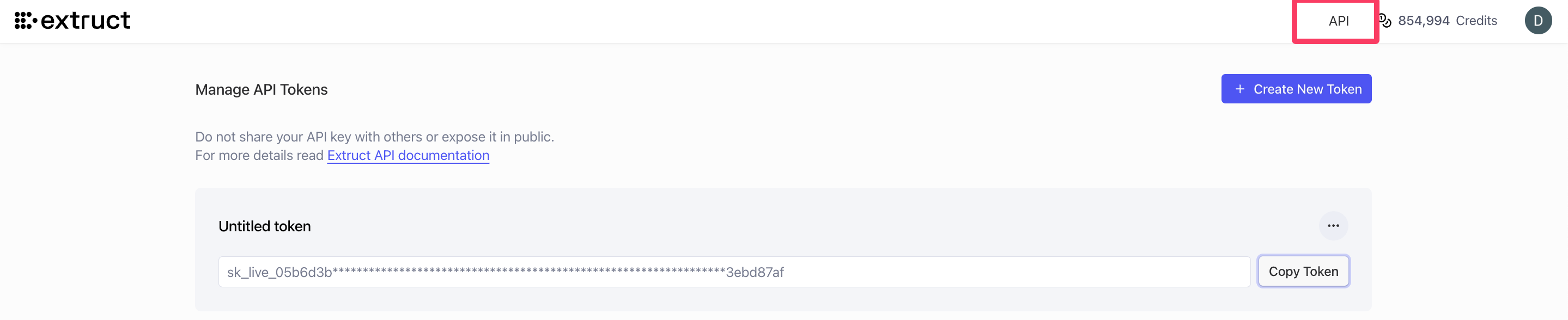
Navigate to your account settings or API dashboard (usually found in the top-right menu under your profile, look for "API" tab)
-
Click "Create New Token" to generate your API key
-
Copy your API key and store it securely (treat it like a password - you won't be able to see it again!)
-
Set appropriate permissions for your key based on your use case
Security tip: Never commit your API key to version control. Use environment variables or a secrets manager instead.
# Example: Store in environment variable
export EXTRUCT_API_KEY="your_api_key_here"
Understanding the Lookalike API
The Lookalike API endpoint follows this structure:
GET https://api.extruct.ai/v1/companies/{domain}/similar?limit={number}
Parameters:
{domain}: The domain of the company you want to find similar companies tolimit: Number of similar companies to return (e.g., 100)
Authentication:
- Include your API key in the
Authorizationheader as a Bearer token
Use Case: Building a Targeted Prospect List for B2B SaaS Sales
Let's walk through a practical example. Imagine you're a sales leader at a data enrichment company, and you've identified that your best customer is a company like Clay or Apollo. You want to find 100 similar companies to target.
Step 1: Identify Your Ideal Customer Profile (ICP)
Start with a company that represents your ideal customer. For this example, let's use zinit.in (a B2B Procurement SaaS company).
Step 2: Make Your First API Request
Here's how to find similar companies:
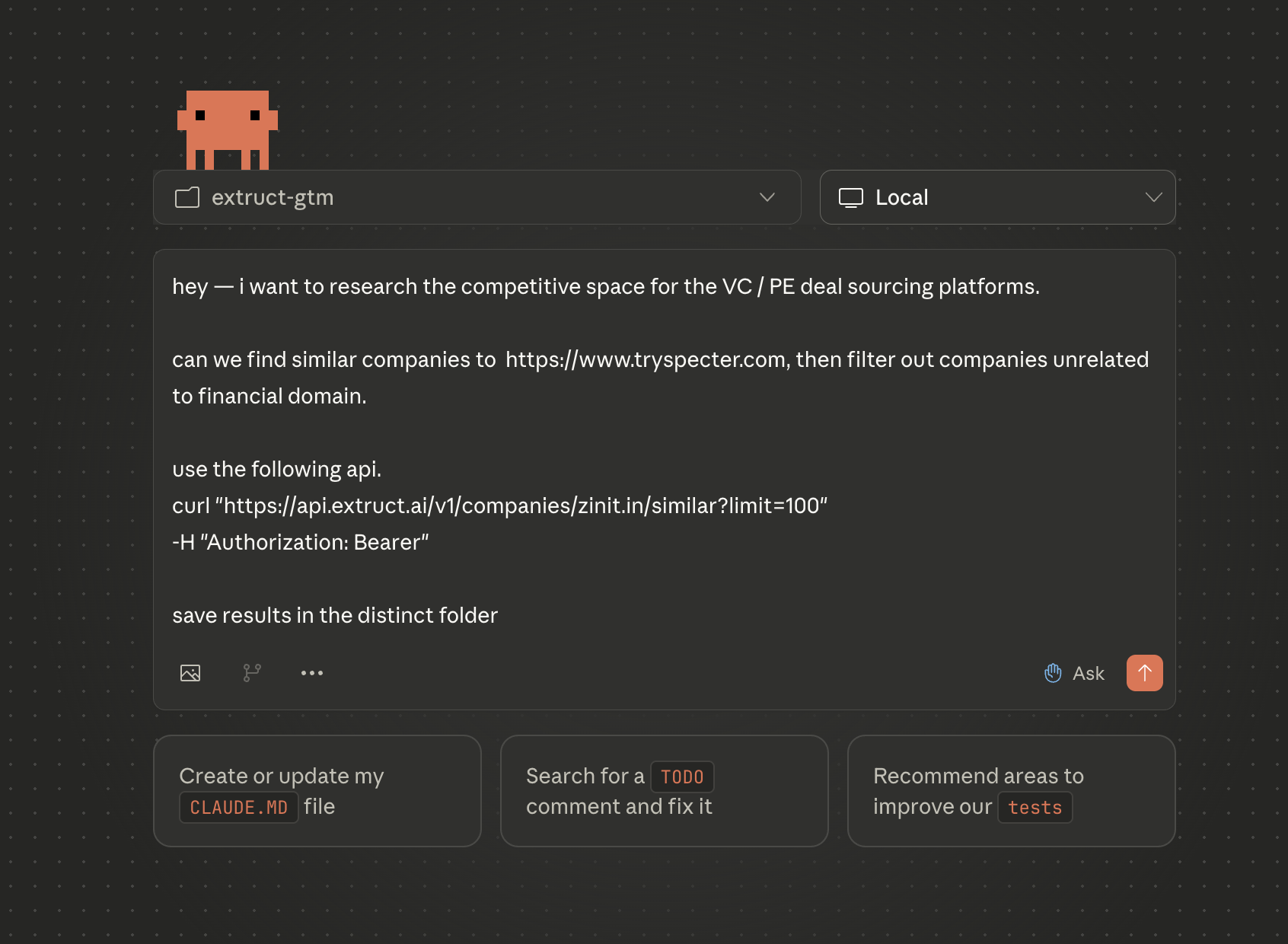
curl "https://api.extruct.ai/v1/companies/zinit.in/similar?limit=100" \
  -H "Authorization: Bearer YOUR_API_TOKEN"
Replace YOUR_API_TOKEN with your actual API key from Step 2.
Step 3: Understanding the Response
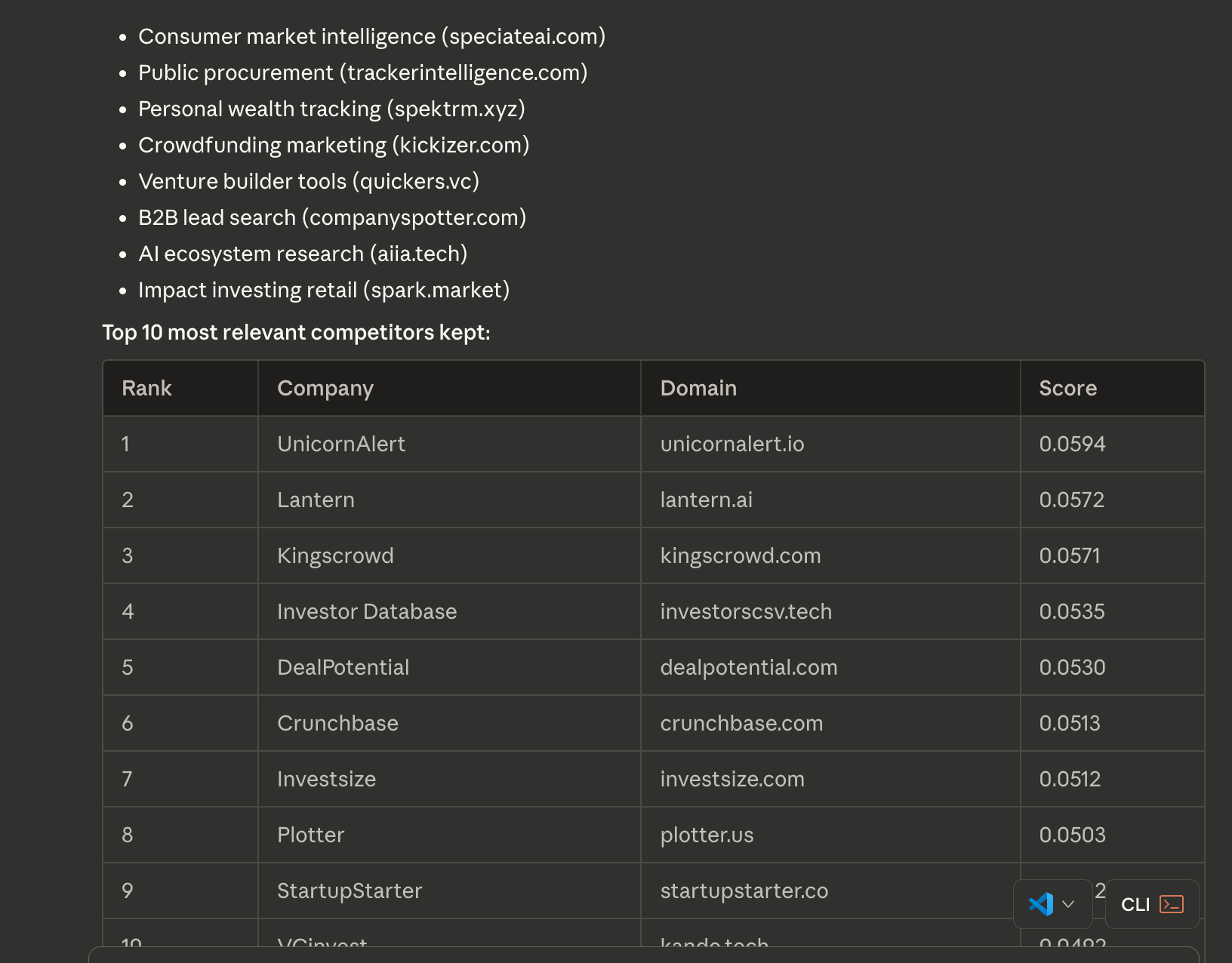
The API will return a JSON response containing up to 100 companies semantically similar to your target. The response includes:
- Company name and domain
- Description of what they do
- Similarity score or ranking
- Key metadata (size, location, industry signals)
Example response structure:
| Company | Domain | Description | Score | Employees | Location | Founded |
|---|---|---|---|---|---|---|
| Similar Company Inc | similarcompany.com | B2B SaaS platform for... | 0.94 | 50-100 | San Francisco, CA | 2020 |
Step 4: Integrate Into Your Workflow
You can use this data to:
- Enrich your CRM: Import the list directly into HubSpot, Salesforce, or your preferred CRM
- Build outbound campaigns: Create targeted email sequences for these lookalike companies
- Research competitors: Understand the landscape around your best customers
- Identify partnership opportunities: Find complementary businesses in adjacent spaces
Advanced Use Cases
Market Research
Use the API to map out an entire competitive landscape:
# Find competitors for multiple reference companies
for domain in company1.com company2.com company3.com; do
  curl "https://api.extruct.ai/v1/companies/$domain/similar?limit=50" \
    -H "Authorization: Bearer YOUR_API_TOKEN"
done
Investment Analysis
If you're evaluating a space, find all players in that ecosystem:
curl "https://api.extruct.ai/v1/companies/target-startup.com/similar?limit=200" \
  -H "Authorization: Bearer YOUR_API_TOKEN"
Customer Expansion
Find lookalikes of your top 10% customers to prioritize outreach:
# Target companies similar to your best customer
curl "https://api.extruct.ai/v1/companies/best-customer.com/similar?limit=100" \
  -H "Authorization: Bearer YOUR_API_TOKEN"
Alternative: Browser Extension
If you prefer a visual interface, Extruct also offers a Chrome extension:
Install the extension from Chrome Web Store
The workflow is simple:
- Land on a prospect's website
- Click the Extruct extension icon in your browser toolbar
- Instantly see a list of similar companies
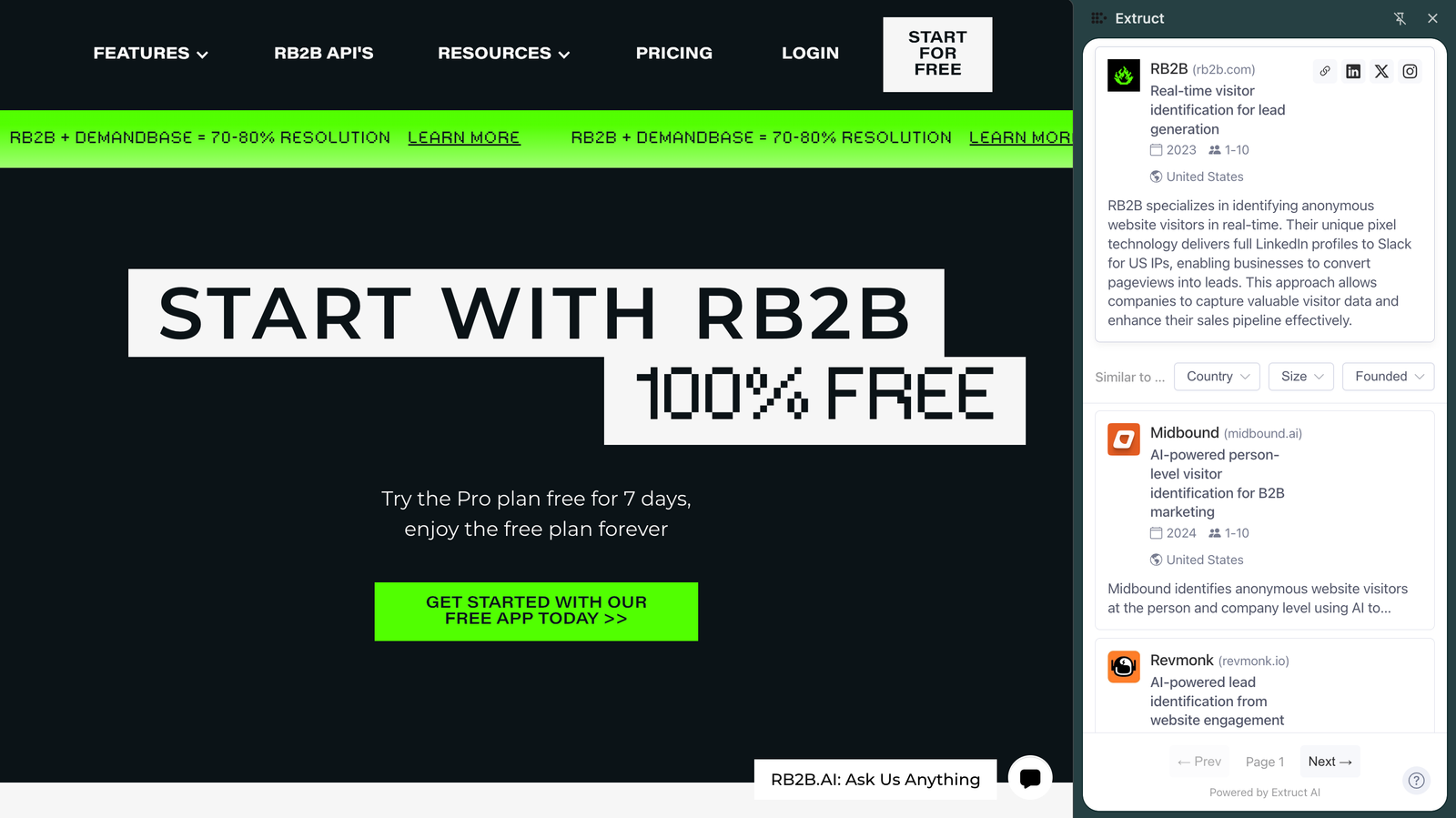
This is perfect for on-the-fly research when browsing LinkedIn, exploring new sectors, or evaluating individual prospects.
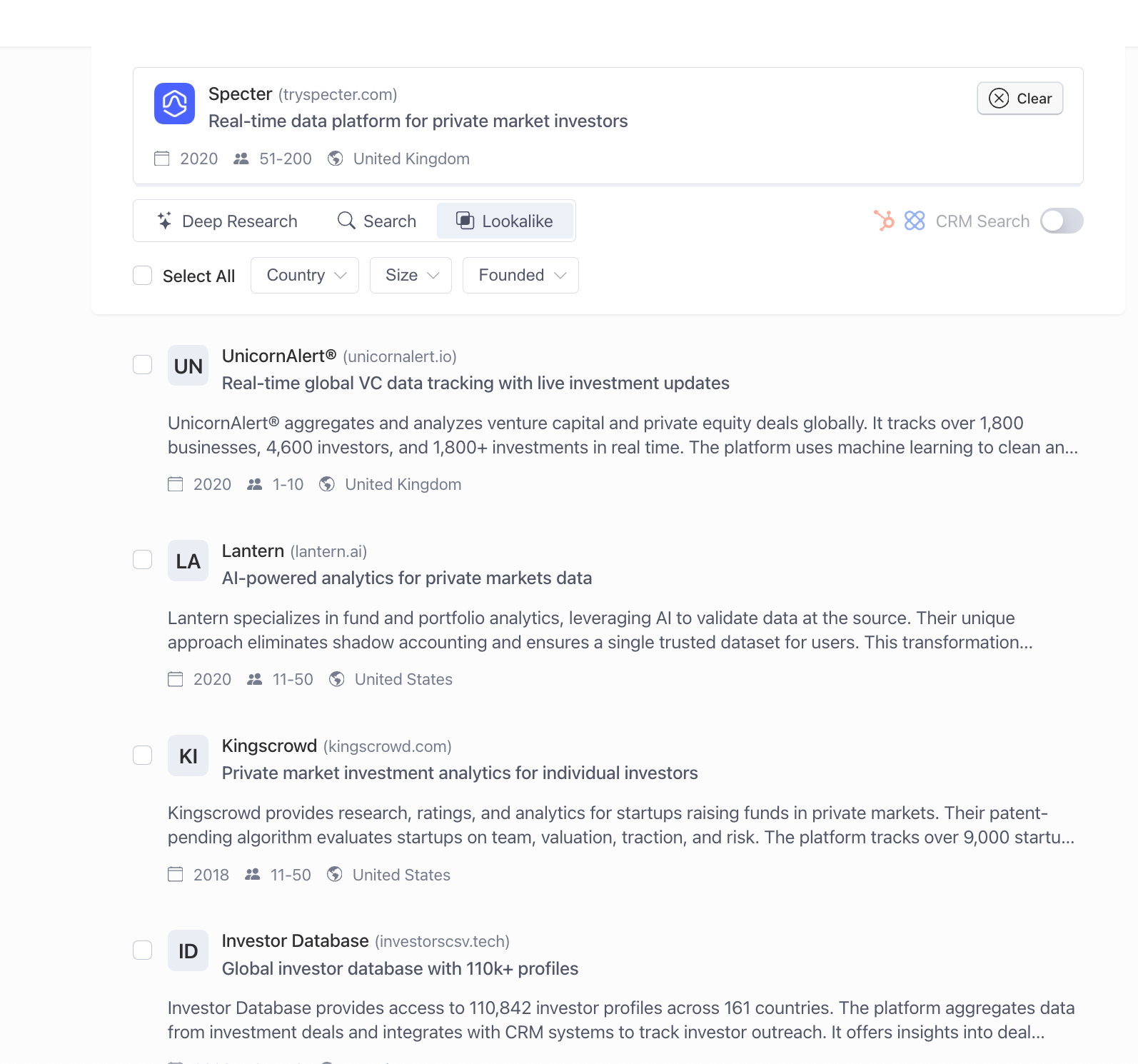
Why Extruct's Lookalike API Works Differently
Traditional lookalike tools rely on rigid category classifications: "This company is in MarTech, so show me other MarTech companies." That approach misses nuance.
Extruct takes a semantic approach. It analyzes:
- How companies describe themselves (not just what category they fit into)
- Website content and messaging (value props, use cases, positioning)
- Social signals and news mentions (what people say about them)
- Real-time updates (companies evolve, and so do their lookalikes)
This means you get companies that are actually similar -- not just those with the same industry tag.
Need help? Email danny@extruct.ai or schedule a demo to see the API in action.
