 Danny Chepenko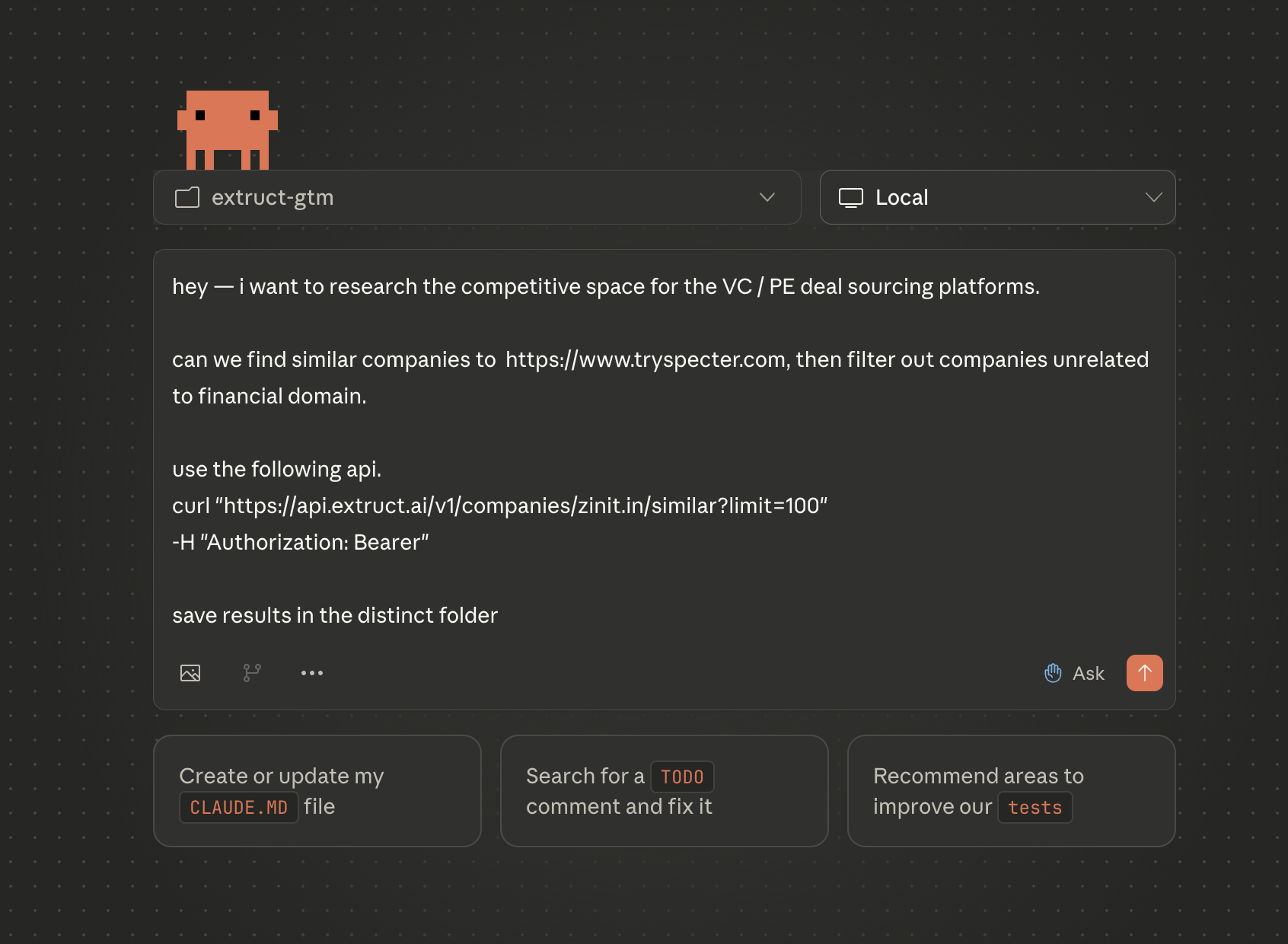
If you're in sales, investment research, or partnership development, you know the pain: finding companies similar to your best customers takes hours of manual research. LinkedIn searches, database queries, Google hunting -- it's tedious work that pulls you away from actually closing deals.
What if you could describe your ideal customer to an AI agent, and it automatically builds you a researched, enriched prospect list in minutes?
This is exactly what you can do by combining Claude Code with Extruct's Lookalike API. Claude Code acts as your research assistant, calling the API, enriching the data, and organizing results -- all through natural conversation.
Let me show you how.
Prerequisites: Quick Setup
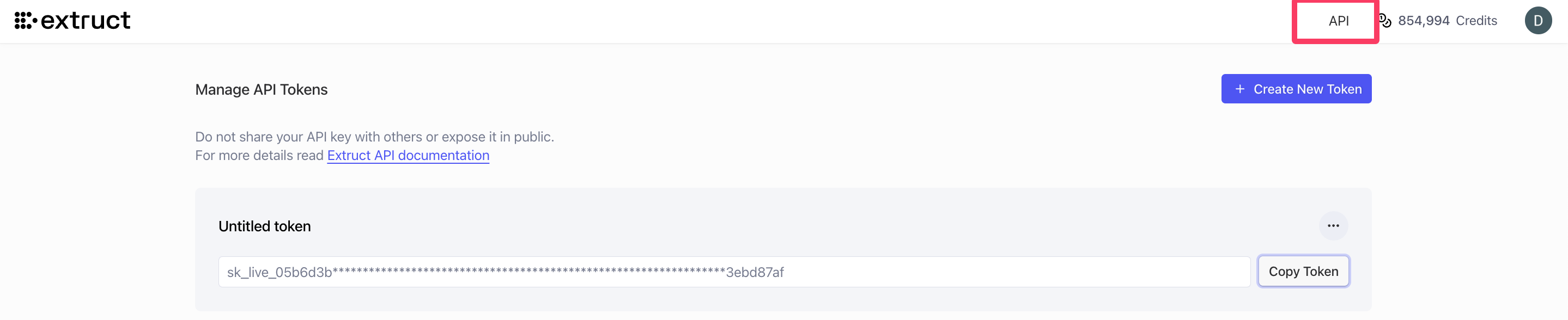
Step 1: Get Your Extruct API Key
You'll need an Extruct account with API access:
- Visit extruct.ai and pick the plan that fits your workflow (Free, Starter, or Pro). For current limits and pricing, see the pricing page.
- Navigate to Settings -> API in your dashboard
- Click "Create New Token" and copy your API key
Step 2: Set Your API Key as an Environment Variable
Add your API key to your shell profile (~/.zshrc or ~/.bashrc):
export EXTRUCT_API_KEY="your-key-here"
Then restart your terminal or run source ~/.zshrc. Claude Code will automatically pick up environment variables — so when you ask it to call the Extruct API, it will use EXTRUCT_API_KEY without you ever pasting secrets into the chat.
For more details on managing environment variables in Claude Code, see Anthropic's guide.
How Claude Code + Lookalike API Work Together
Here's the magic workflow:
- You: Describe your ideal customer or ask Claude to find similar companies
- Claude Code: Automatically calls the Extruct Lookalike API
- Claude Code: Enriches results with additional research
- Claude Code: Organizes data into a structured format (CSV, JSON, or directly to your CRM)
Let's see this in action.
Use Case 1: Finding Potential Customers for Your Product
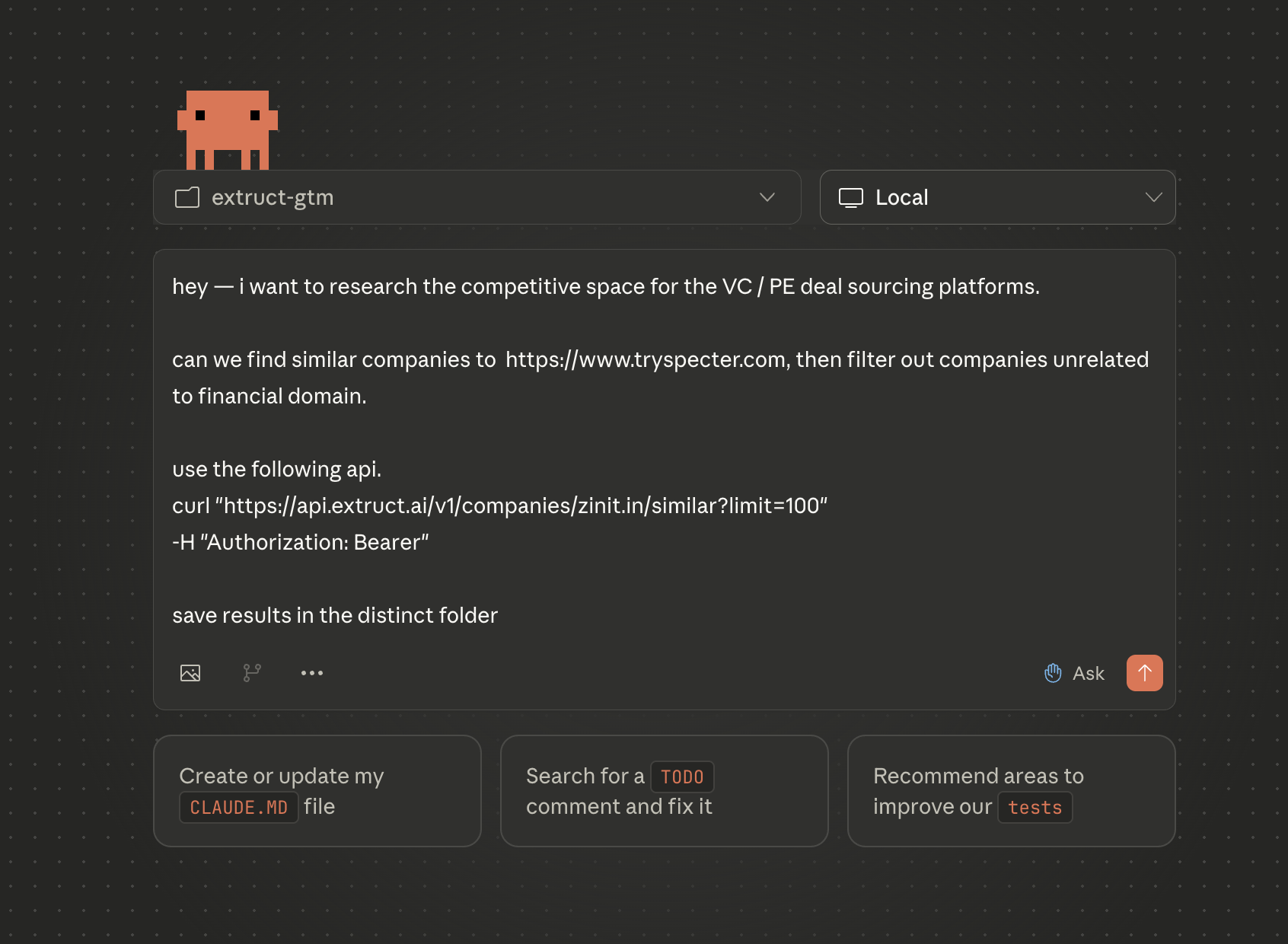
Your prompt to Claude Code:
"Our product helps manufacturing companies digitize their operations. Find 50 companies similar to Procore (construction tech) but in the manufacturing vertical. Create a spreadsheet with their name, domain, description, employee count, and location."
What Claude Code does automatically:
- Calls the Extruct API to find similar companies and fetch the data
- Filters results for manufacturing-related companies
- Parses and enriches the JSON response
- Creates a CSV file with organized results
curl "https://api.extruct.ai/v1/companies/procore.com/similar?limit=50" \
  -H "Authorization: Bearer $EXTRUCT_API_KEY"
The result:
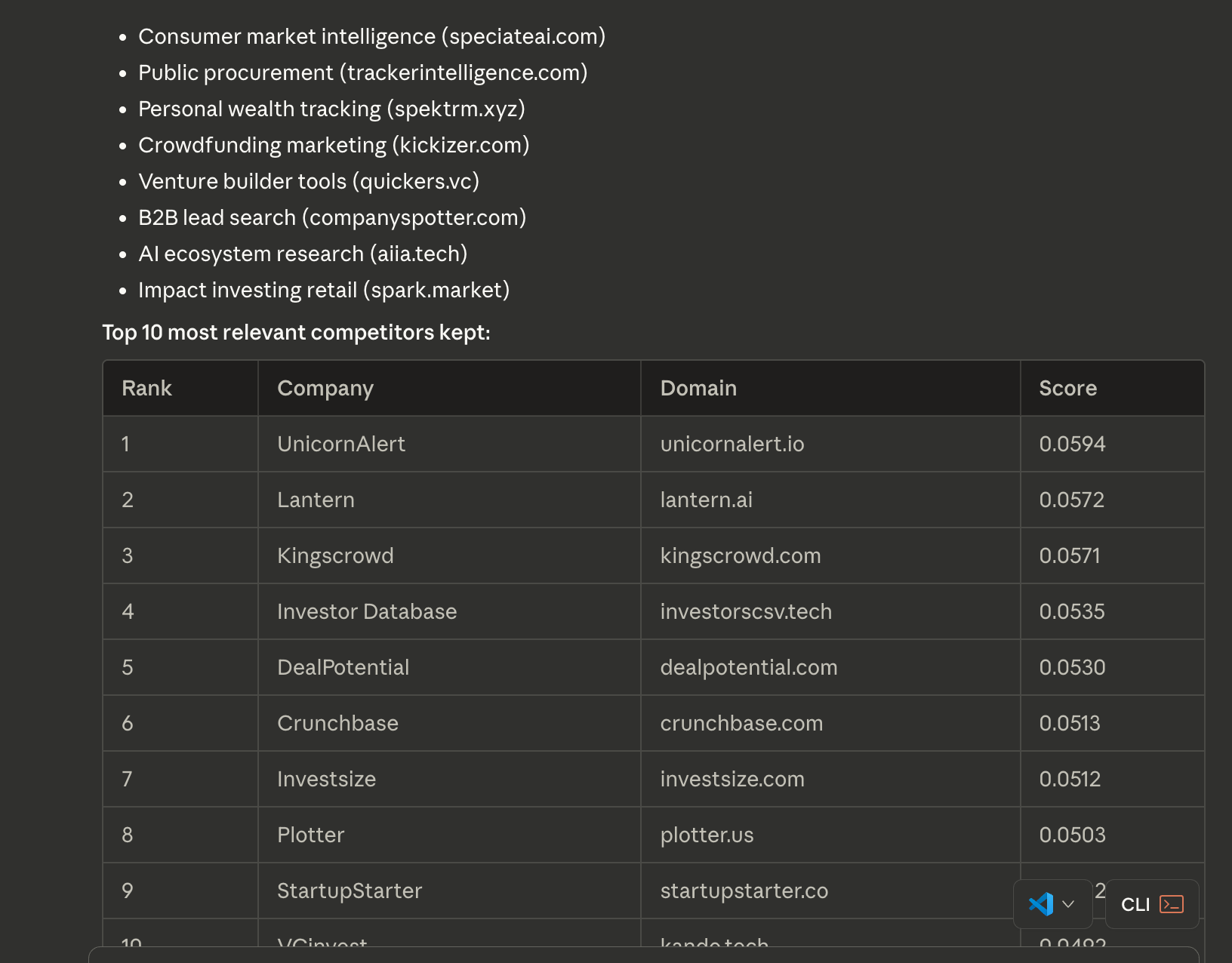
Claude Code generates a file like this:
| Company | Domain | Description | Employees | Location | Score |
|---|---|---|---|---|---|
| Plex Systems | plex.com | Manufacturing ERP and MES | 500-1000 | Troy, MI | 0.91 |
| Katana MRP | katanamrp.com | Manufacturing software for SMBs | 50-100 | London, UK | 0.88 |
| Fulcrum | fulcrumapp.com | Field inspection and data collection | 25-50 | Orlando, FL | 0.86 |
| MachineMetrics | machinemetrics.com | Industrial IoT analytics | 100-250 | Northampton, MA | 0.85 |
Time saved: What would take 3-4 hours of manual research happens in 30 seconds.
Use Case 2: Building a Targeted Prospect List from Your Best Customer
Your prompt to Claude Code:
"Our best customer is Faire (faire.com), a wholesale marketplace. Find 100 similar B2B marketplace companies, filter for those with 50-500 employees, and export to a CSV I can import into HubSpot."
What Claude Code does:
- Fetches similar companies via the API
- Filters by employee count range
- Formats the data to match HubSpot's import schema
- Creates a ready-to-upload CSV
What happens next:
Claude Code automatically handles everything -- calling the API, filtering the results, formatting for HubSpot, and creating the file. You just wait 30 seconds and get:
Result: hubspot_b2b_marketplace_prospects.csv ready to import with 47 qualified B2B marketplace prospects.
Use Case 3: Investment Deal Sourcing
Your prompt to Claude Code:
"I'm evaluating the vertical SaaS space for construction. Find companies similar to Procore, Fieldwire, and Buildertrend. Create a table showing their name, funding stage, investors, and year founded."
What Claude Code does:
Claude Code runs multiple API calls in parallel, deduplicates the results, enriches with funding data, and creates a comparison table -- all automatically.
Output:
| Company | Domain | Funding Stage | Latest Investors | Founded |
|---|---|---|---|---|
| eSub | esub.com | Series B | Vista Equity Partners | 2002 |
| CMiC | cmicglobal.com | Growth Equity | Accel-KKR | 1992 |
| Jonas Construction | jonasconstruction.com | Acquired | Constellation Software | 1982 |
Time saved: Days of deal sourcing research compressed into minutes.
The Extruct Lookalike API: Why It Works
Unlike traditional company databases that rely on rigid categories, Extruct's semantic approach analyzes:
- How companies describe themselves
- Website content and messaging
- Social signals and news mentions
- Real-time positioning updates
This means you get companies that are actually similar -- not just in the same category.
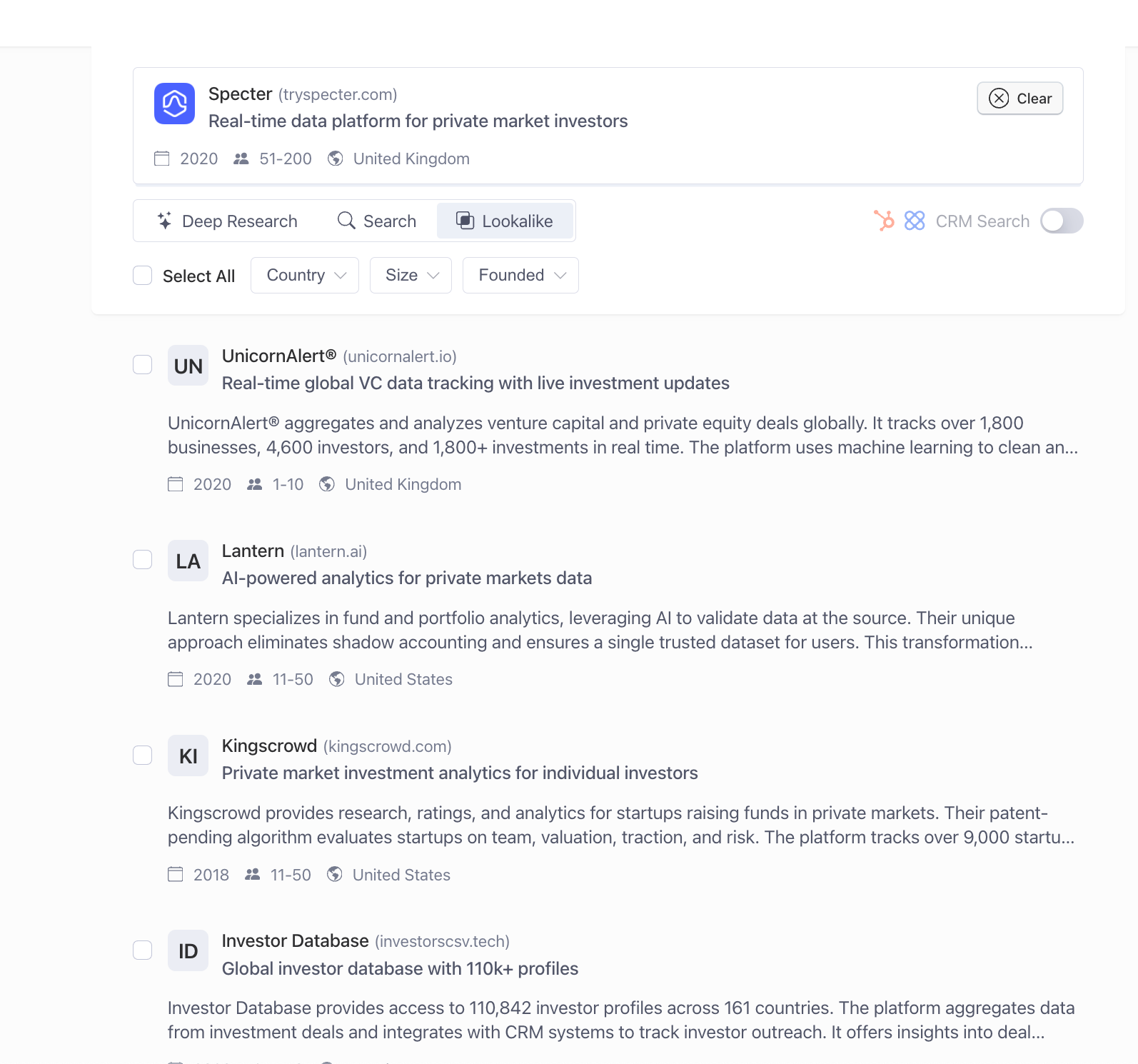
Alternative: Browser Extension
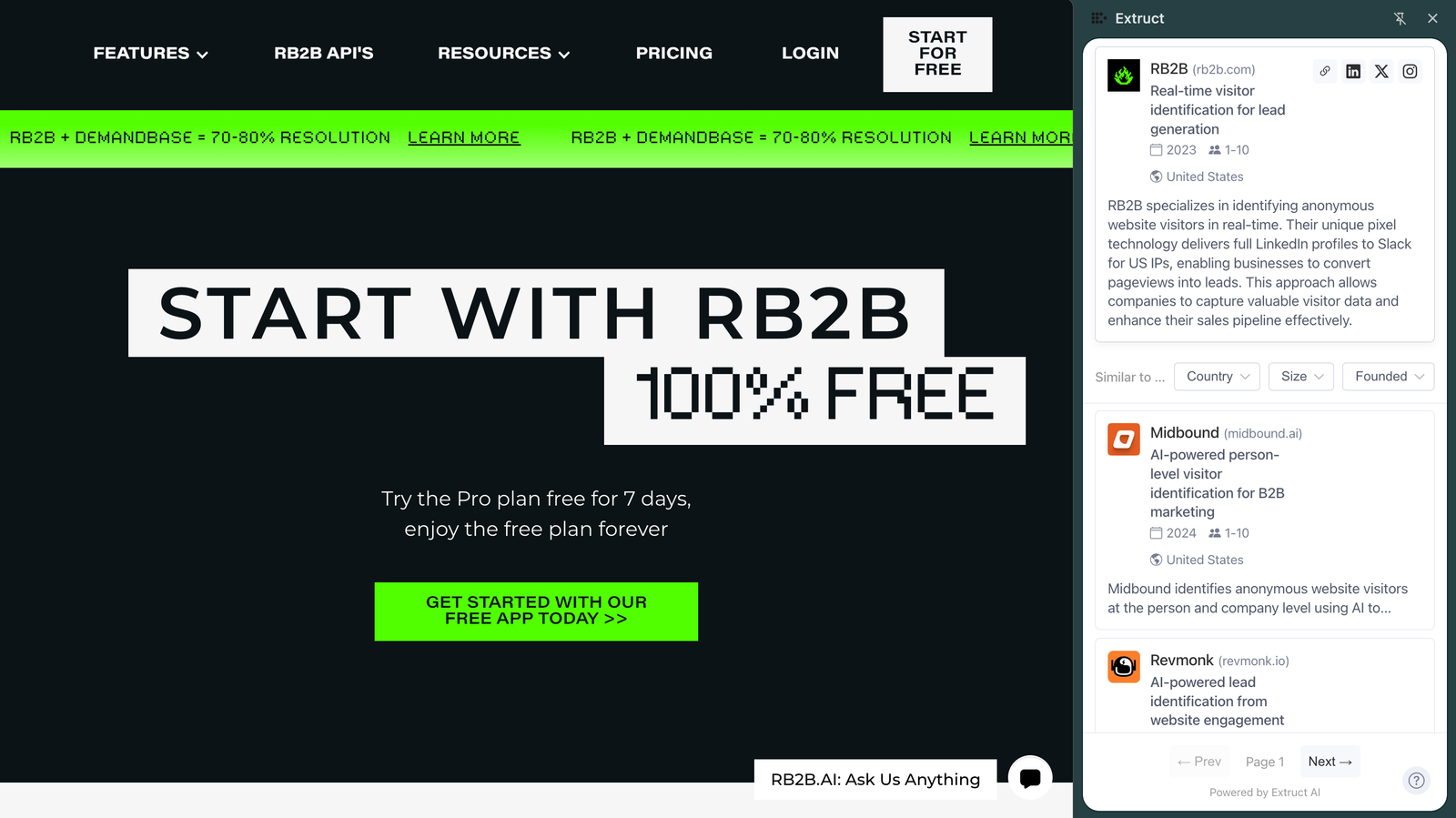
If you prefer a visual interface, Extruct also offers a Chrome extension:
Just browse to any company website and click the extension to see similar companies instantly.
What's Next?
Once you're comfortable with basic Claude Code + API workflows, try:
- Automated lead scoring - Claude Code can research and score prospects automatically
- Market mapping - Create comprehensive market landscape reports
- Integration with your CRM - Direct import to HubSpot, Salesforce, etc.
- Custom workflows - Build personalized research processes for your team
The combination of Claude Code's intelligence and Extruct's data creates a research assistant that works 24/7, never gets tired, and gets smarter with every request.
Need help? Email support@extruct.ai or check the API documentation
